Music + Future City follow up

I have been listening to music for some time now (for the lack of a better place to mention this: my favorite artist is Ye). I used to simply listen to music from YouTube on my phone or laptop using wired earbuds. It was not a terrible experience, but there was much to be desired in the audio quality and ease of access. YouTube played ads between songs, relied on the internet, and had lossy audio compression. To fix this, I decided to use a YouTube video downloading website to get the .mp3 files of the songs, which I placed in a folder and used the OS’s built-in media player to listen to the songs. This worked fine, but the audio quality was bad, due to the inherent data loss from .mp3 files, cheap earbuds, and low quality DAC (digital to audio converter) chips.

To fix this issue, I decided to study the methods I could use to listen to music. I narrowed it down to either streaming services or CDs (compact disks), since my computer and phone had low-quality hardware and it would be hard to find a lossless format (namely FLAC) of the songs to download and listen to, and since vinyl is too expensive and takes some care to prevent damage.

Corporate software is almost always horrible to use. They look and feel soulless, and are built for profit and not the users. Even if there was a good streaming application that does not feel like consuming corporate slop, there is always a price tag, regardless of it costing money or being free (if the product is free, then you are the product). Most streaming applications also require network connection to access and do not have a built-in feature to download songs. In addition to all of this, after the user pays the price and bears with using the streaming service, they still end up owning none of the songs. This effectively ruled out using streaming services.

CDs are a superior format. They are physical, and it is always a good idea to own something physically, contrary to what CEOs say (Bezos is full of shit for saying that people should give up their local hardware in favor of cloud counterparts). Additionally, CDs have a higher audio quality than .mp3 files and other lossy formats, which gives them better quality than most streaming services. Their higher dynamic range, compared to other methods of listening to music, allows users to hear minute details in the music that a compressed version would not have. The streaming services that do have lossless audio are still limited by phone and headphone hardware, since the average consumer just uses cheap headphones or more corporate slop like AirPods. CDs also have a matured manufacturing sector, meaning that buyers can find high-quality CDs and CD players for relatively cheap prices. This led me to decide on using CDs to listen to music. So far, my feeling is that it has been a great listening experience and was worth the money that I invested in it.

A couple of days ago, my Future City team received the news that we had passed the preliminary round. This means that I will be able to go to Washington D.C. for the final competition. I am excited to present our city (Kalira), but also to visit D.C. itself. I am planning on bringing my camera to take pictures there, so that I can share them here or submit them to a photography competition (if they are good enough).
Yeezus (Ye) cover art

read more

Future City 2026

This winter break I worked on my team’s city model for Future City. Future City is a competition where you design a sustainable and eco-friendly city set 100 years in the future that works around / solves a constraint given for each year’s competition. Our city is called Kalira and is set in the center of Côte d’Ivoire within the semicircle-esque curve of the Bandama river above Lake Kossou.

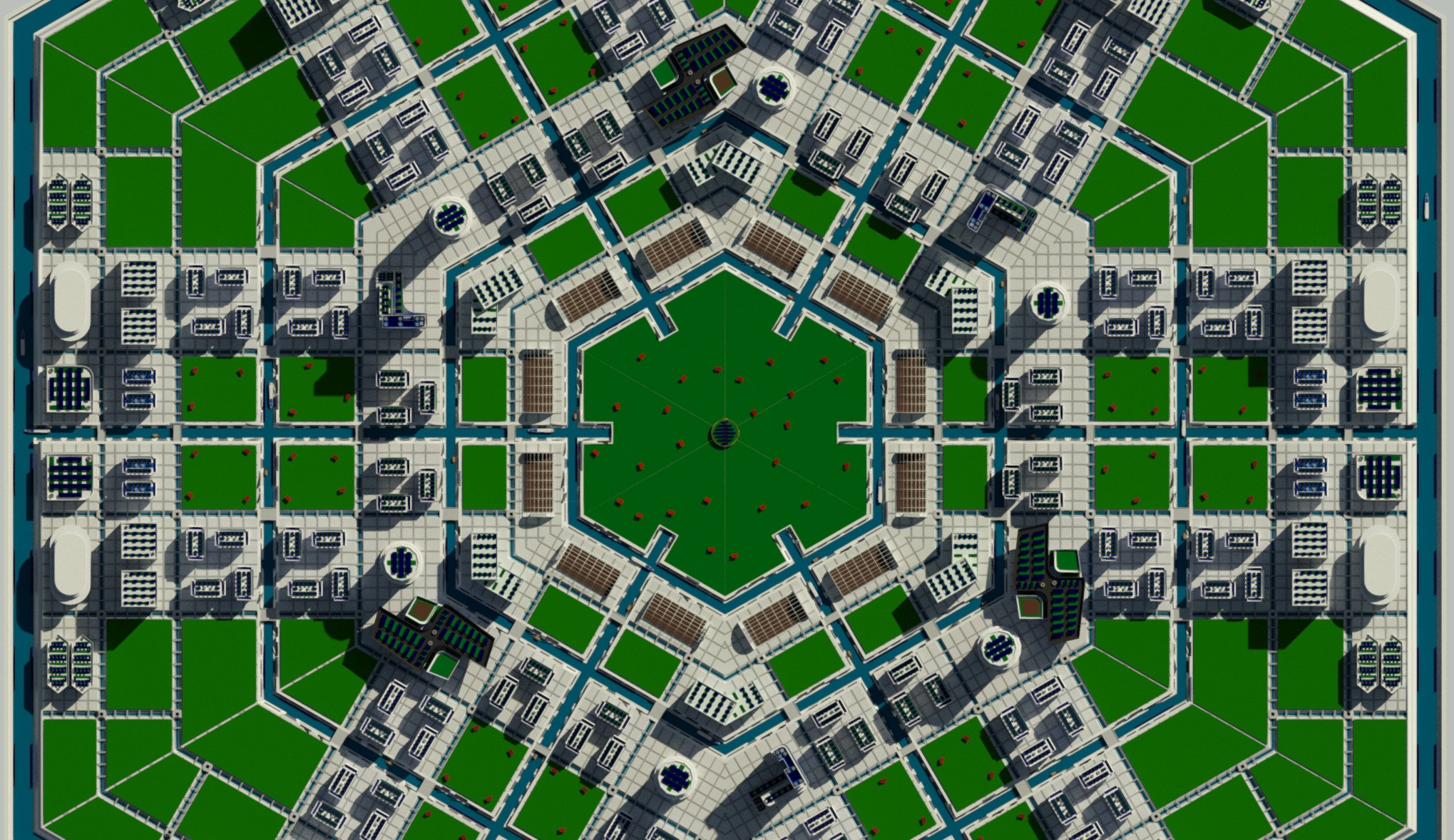
To make our model, we used Autodesk Revit because the competition requires that teams use it for their final renders. Since Revit is difficult to work with, I designed all the components of the model in Blender and then ported them into a file format that Revit would accept (.ifc) via the Bonsai extension for Blender. We then imported the .ifc files into Revit, arranged them, and then rendered them. Although Revit is a headache to work with, I think that the renders came out very nicely. Below is one of our renders, a birds-eye view of the city.

render of a hexagonal city with plenty of green space and a canal system forming hexagonal rings and city blocks

read more

Photography

I got one of my photographs into the Eye on Houston exhibit at the Museum of Fine Arts. I like the photograph a lot, but my only gripe with it is that I had to take it with my phone camera rather than a proper one, which caused it to have low resolution and visual artifacts due to the poor quality of it and the fact that I had to zoom a large amount to get the photograph.

image of yellow sky with buildings faded out as they recede into skyline

read more

Control flow of an operating system

The first program on a computer that recieves control is the Basic Input/Output System (BIOS), which is replaced by Unified Extensible Firmware Interface (UEFI) in modern computers. These serve to run tests on the computer to make sure it is running properly, as well as to setup basic capabilities such as loading sectors into memory and writing characters to the screen.

Afterwards, BIOS transfers control to the bootloader, the first part of the operating system. It is meant to do any setup necessary and then pass the control to the kernel. It is a 512 byte program located at memory address 0x7C00, usually written in Assembly. In there, BIOS/UEFI interrupts can be run to load futher sectors into memory and continue execution.

After the bootloader finishes its setup, it then jumps to a memory address with kernel code located in it. This is the final stage of the control flow. The kernel changes CPU modes, loads drivers, and does other operating system routines. There are many designs for kernels, so I won’t go into detail, but in general, they are the core set of programs that execute in the background to ensure the functionality of what we colloquially view as the operating system. The kernel is usually written starting in C, but can expand to other languages once the proper setup and drivers are made.

read more

How to program on a (school) Chromebook

I do not own a computer. This means that to program, I can either wait until I get home or find a method to program on the school computer. I, as well as many others, have a Chromebook as the school computer. Either due to strict parenting or a lack of funds, many people can only access online content through this Chromebook. Back to the point, the methods for programming on a Chromebook differ based on whether the device is managed by the school or not.

Normal Chromebook: For normal chromebooks, it is much easier to setup a development environment. ChromeOS is a Linux distro, meaning that you can simply go into the settings and enable the shell, allowing you to run executables and do most of what you can on any other GNU/Linux distro. Obviously, the other option is to simply install another operating system, which would rid you of having this problem in the first place.

School Chromebook: Most school networks have nearly everything blocked on the Chromebook, allowing access to a select few sites they deem appropriate for use. There are two types of school networks, those that allow GitHub and those that do not. If GitHub is unblocked, one can simply use a GitHub Codespace, which provides almost all funcitonality that a GNU/Linux distro does (no GUI applications though). I personally use these to develop this website. Without GitHub, though, many more complications arise. The most obvious way to do this through online compilers, like ones offered by W3Schools. The other way to do this is through online virtual machines or operating system emulators, but there is no standard for this and are difficult to find for free. The only viable and reliable method for when GitHub is blocked is simply through the online compilers. This raises the issue of storing code, sinse most online compilers do not offer funcitonality outside of just running code. To do this, one needs a text editor. ChromeOS, being how poorly made it is, does not have a text editor. The way I get around this is through creating a simple .html file (which can be opened with Google Chrome) which contains an input tag and some JS to download that text as a .txt file (which can also be viewed with Chrome).

These methods should allow for basic developement (that does not involve GUI applications). Although they are difficult to use and feature-poor, something is better than nothing.

read more